Linear won't stop an issue moving to Done with no estimate. LineGuard will — and keeps the record of every time it did.
Not a workspace admin? Send it to the person who is.
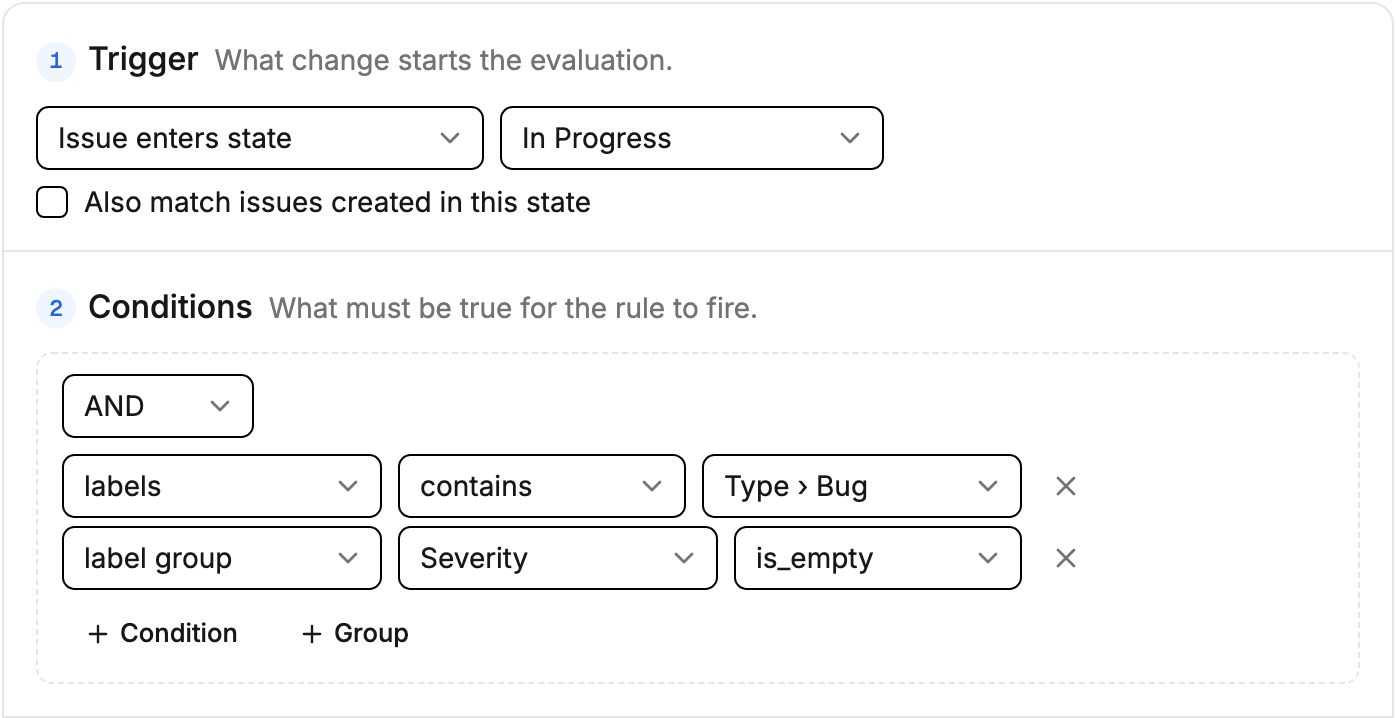
Five trigger types — enters a state, leaves a state, a field changes, issue created, any update.
Nest AND/OR groups as deep as the edge case needs.
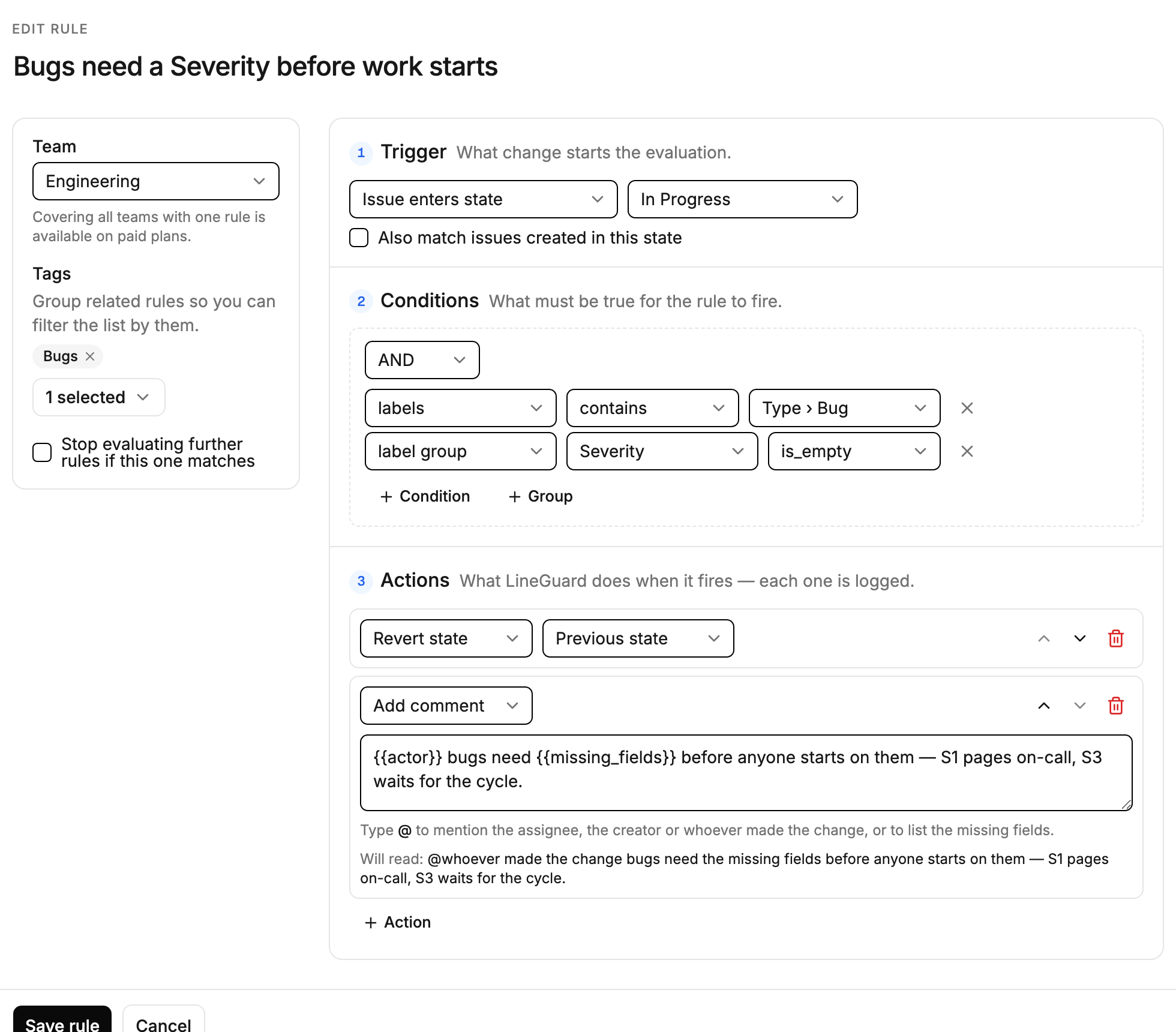
Every action's outcome is written to the audit log — including the ones Linear rejects.
No code, no polling — LineGuard reacts to Linear in real time.
Pick a team, a trigger (e.g. "moved to Done"), and a condition (e.g. "Estimate is empty"). Built visually, no code.
The moment someone updates an issue, the webhook fires and every active rule is evaluated instantly.
If a rule is broken, LineGuard reverts the issue and leaves a comment explaining exactly what's missing — then writes the whole thing to the log. Nothing lost, nothing silent.
Required fields are the starting point, not the ceiling — see what required fields for Linear can and cannot do on their own, and where a rule picks up.
Not just required fields — combine triggers, AND/OR conditions, and actions to enforce anything your workflow needs.
Installs via Linear OAuth and webhooks — lives inside the workflow your team already uses, no new tool to check.
What fired, what changed, and why — all of it logged. A rule firing forty times a week is telling you the process is wrong, and the log is how you find that out.
Only workspace admins create or edit rules. Everything is scoped per team, so nothing leaks across the org.
Block issues from reaching "Done" without an Estimate
Require an Area label before an issue leaves Triage
Stop assignee-less issues from entering In Progress
Chain multiple conditions with AND/OR logic for edge cases
…and that's the whole rule.
Install takes a minute and runs on the free plan — three rules, one team, no card. Write the rule your team keeps forgetting, and watch the audit log fill in.
Not a workspace admin? Send it to the person who is.
Independent product, not affiliated with or endorsed by Linear.